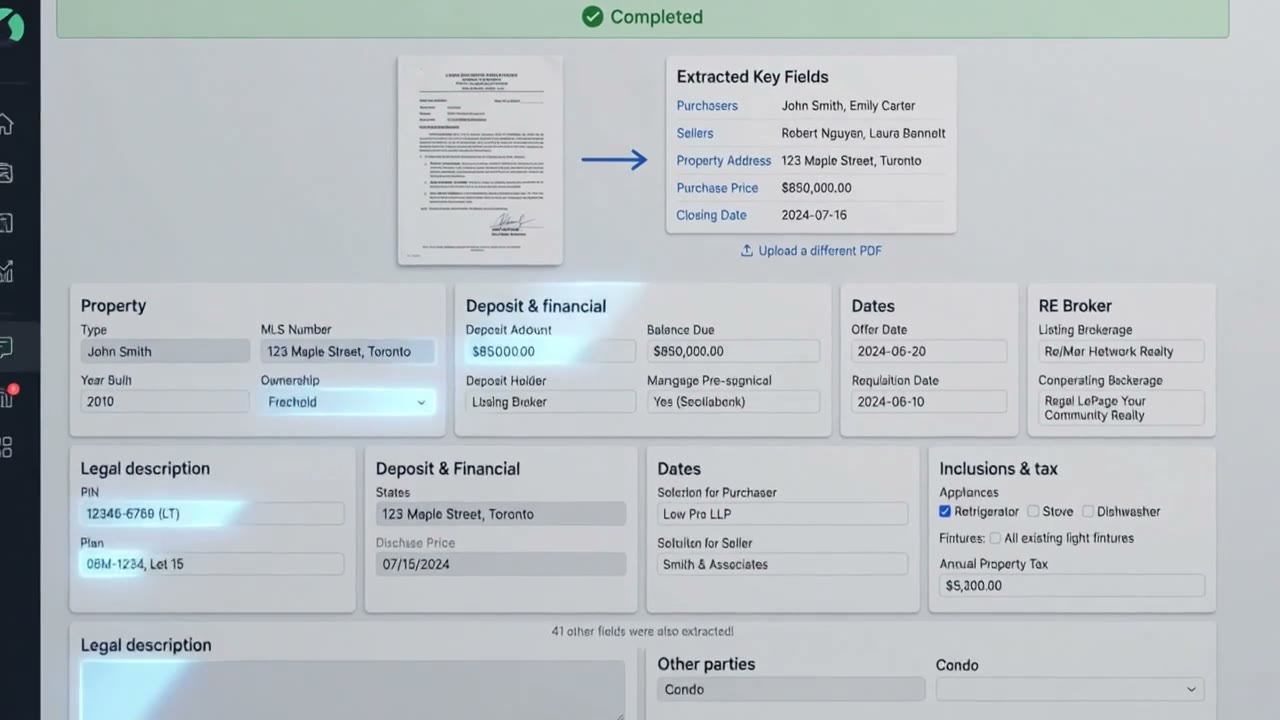
Introducing LexoConnect: client intake, straight into your conveyancing app
One click pushes intake, documents and ID verification into your conveyancing software — and flags mismatches before closing.

Real estate files have a familiar weak spot: the gap between what a client tells you and what ends up in your conveyancing software. A client types their name correctly into an intake form. Weeks later, a clerk re-keys it into the conveyancing app — and a single transposed letter rides all the way to the closing table.
LexoConnect closes that gap. It's now open for early access.
One click to your conveyancing app
Intake information, signed documents and ID verification results move from Lexo into your conveyancing application in a single click. Lexo's AI maps every field to the right place, so there's no exporting, no copy-and-paste and nothing dropped along the way.
Catch mismatches before closing
Already have a file open? LexoConnect compares it against what your client actually submitted and flags every discrepancy — typos, outdated addresses, transposed digits — while there's still time to fix them, not three days before closing.
Built on the Lexo front door
LexoConnect sits on top of everything firms already use Lexo for:
- Client intake — information and documents collected in one guided flow.
- Identity verification — integrated with Treefort, right in the flow.
- Document signing — e-sign retainers and consents, stored securely in Canada.
Get early access
We're onboarding firms now. Request early access and we'll be in touch within two business days.